

From Hype to Help: A Practical GenAI Workflow for Actuaries
question I hear often is: “Generative AI (GenAI) sounds great on paper, but how do we apply it as an actuary?” The most practical answer I have found is to use GenAI as a research assistant rather than an answer oracle. Our work is already retrieval heavy. We spend a large amount of time navigating PDFs — rating manuals, statistical plans, filings, and study materials — revisiting the same paragraph, confirming what it says, and stitching together related points across documents. If GenAI can reduce that search friction while keeping sources visible, it quickly becomes useful.
To address that, I leaned on a common GenAI technique called Retrieval-Augmented Generation (RAG). The experience is chatbot-like, but answers are based on your documents and include citations of the passages used. If the answer is not in the material, it says so. The rest of this article walks through that workflow using a small Python prototype and study materials as an example. The same workflow can apply to other documents.
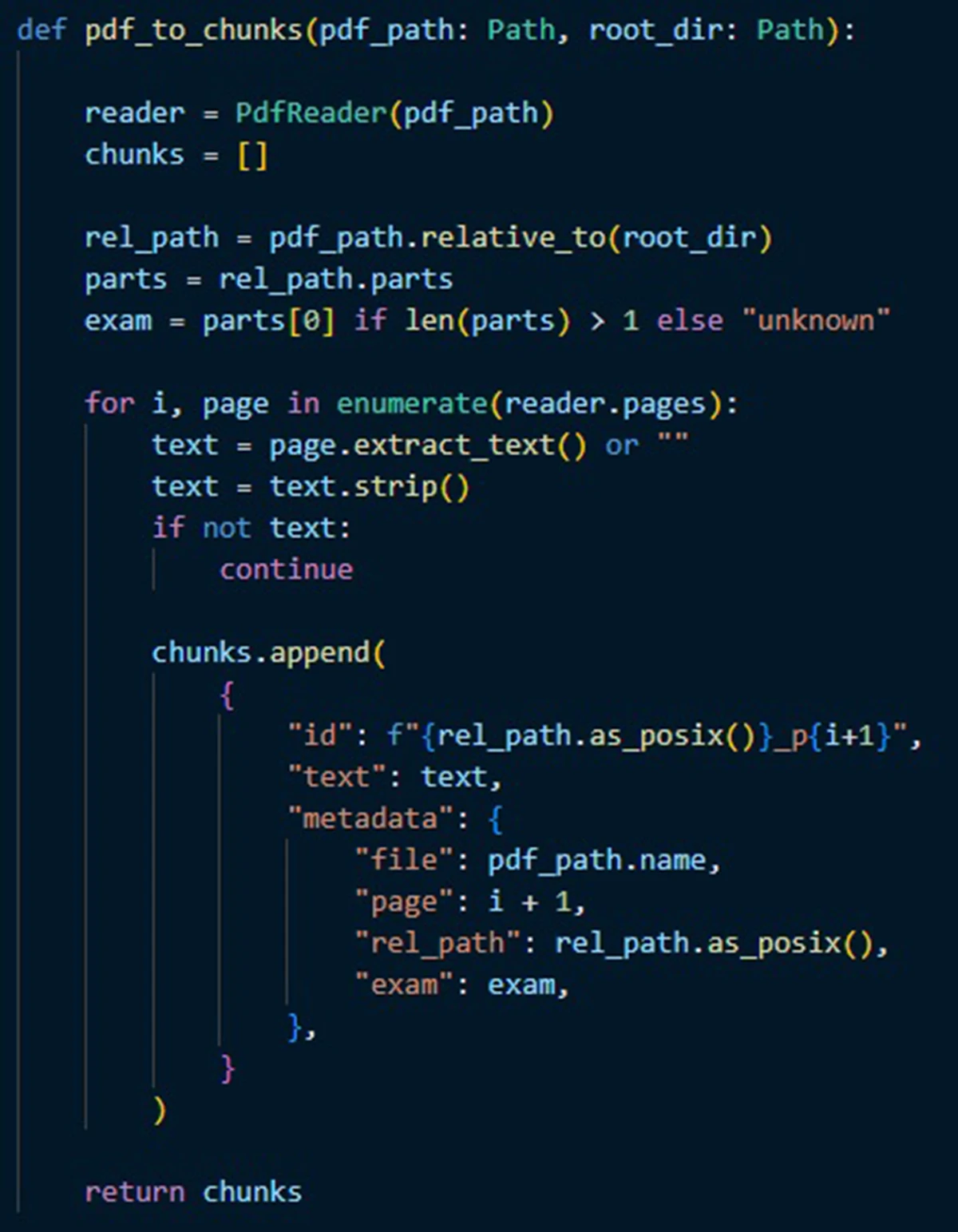
Step 1: Curate and index (ingestion)
I start with a small set of PDFs and confirm the text is extractable. Text-based PDFs can be searched as they are. Scanned PDFs or image-only documents usually need an optical character recognition (OCR) scan, which converts images of pagers into searchable text, and in some cases a multimodal model can extract the text directly.
Next is chunking, the process of splitting up a long document into shorter pieces to facilitate processing. In the simple setup I have, each page is treated as a chunk. That keeps citations straightforward and makes a good starting point. If retrieval later pulls too much unrelated context from dense pages, longer pages can be split into smaller chunks or given light overlap. Either way, page numbers and file names are stored with every chunk, so citations are automatic.
Finally, embeddings are created for each chunk and stored in an index. Embeddings are numeric representations of text that enable semantic search because two pieces of text that have similar meanings are mapped to numerical representations that are “close” to each other. This means that a question can match the right passage, even when it uses different wording than the source.
At the end of Step 1, I have a library that can answer the question: “Which passages from my documents are most relevant to what I just asked?”
Step 2: Retrieve and draft (question answering)
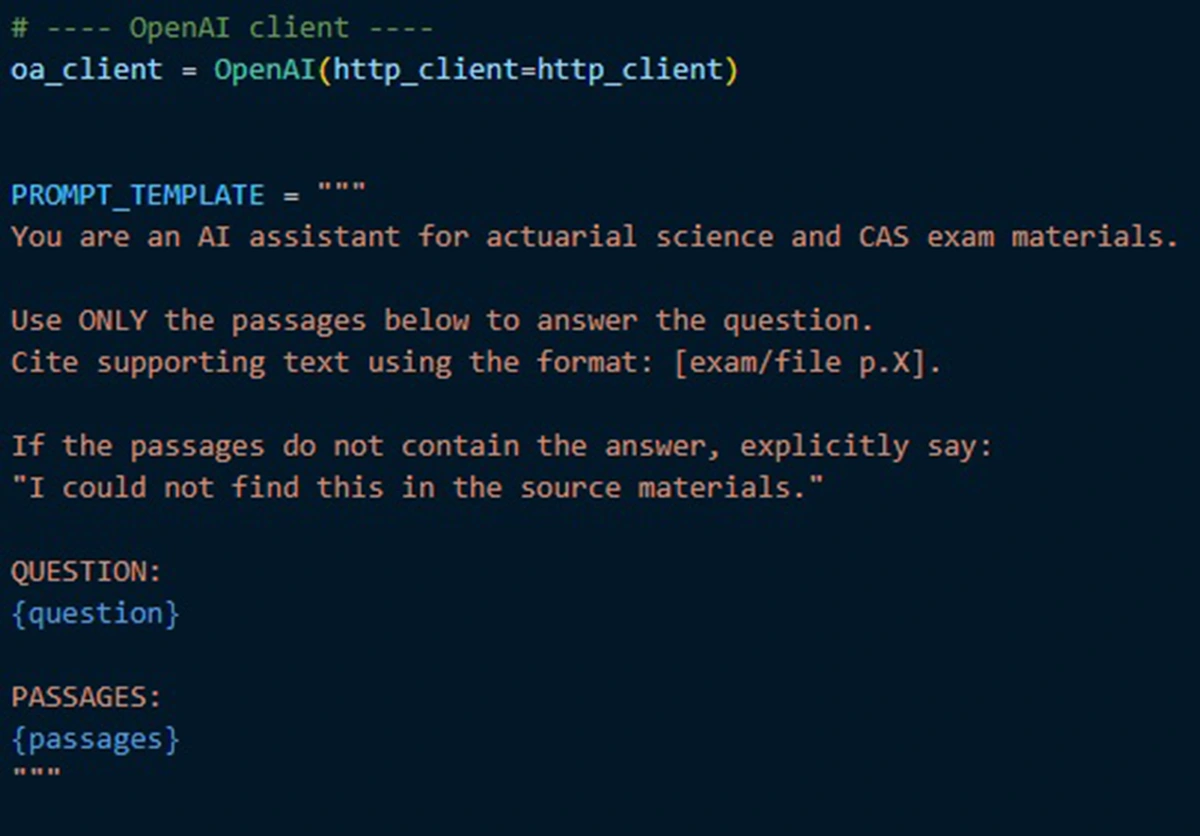
The key design choice is restraint. In my setup, the instruction prompt is intentionally boring. It says:
- “Use only the provided passages to answer the question.”
- “Cite supporting text using a consistent page format.”
- “If the passages do not contain the answer, say so explicitly.”
These constraints reduce hallucination risk.
A practical note on model choice: there are two separate decisions here, embeddings and drafting, and they can be mixed and matched. Embeddings often run locally, while the drafting step can use either a local model or a model hosted by a third party (such as OpenAI or Google Gemini) and accessed via API. Hosted models are often the fastest path to strong writing quality, and the request is typically encrypted in transit. But the retrieved passages and question still go off-machine, so it is important to follow company guidance on data handling. Cost is typically modest because only a handful of passages are sent per question, and while pricing scales with the size of the model’s input and outputs, good retrieval discipline helps keep costs under control. Local models may suffer in quality or require a bit more setup, but they keep everything on your own machine, which can simplify data handling. Either way, the workflow stays the same: retrieve first and then draft from what was retrieved.
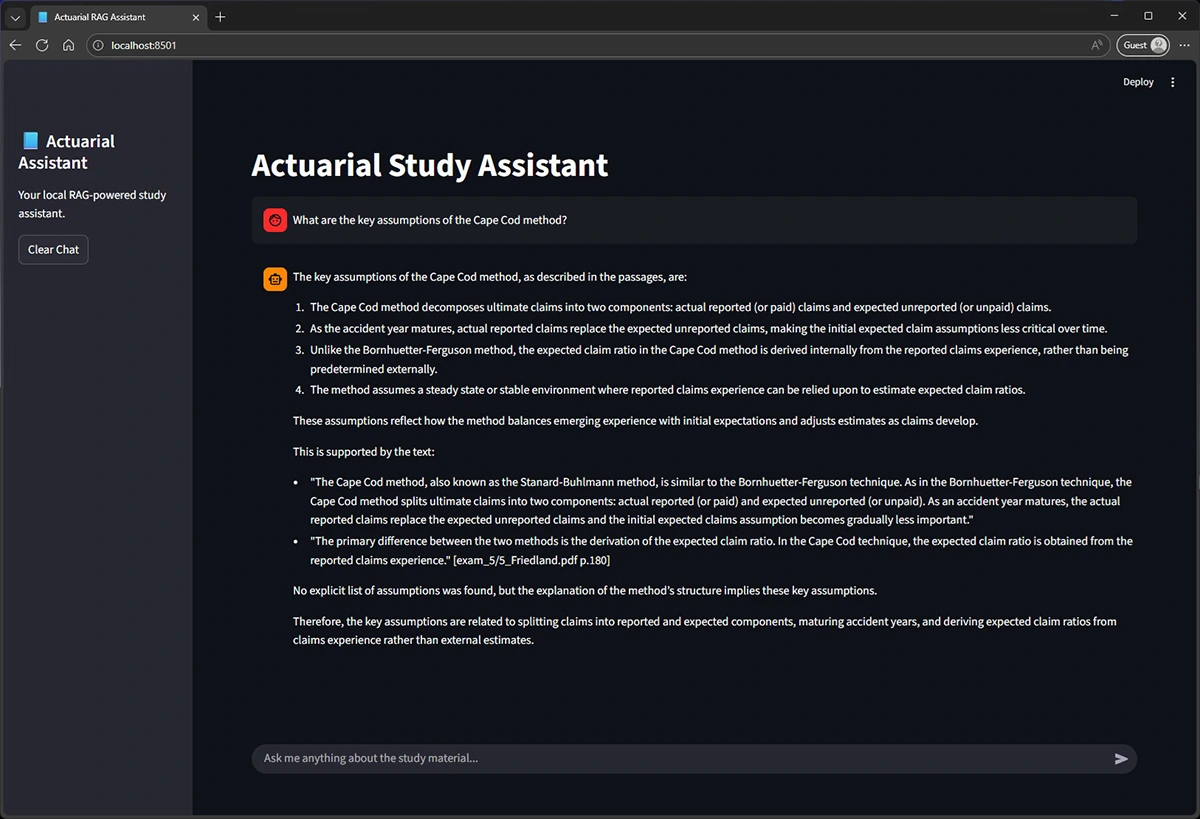
Optional Step 3: Add a simple (or nice!) user interface (UI)
For a small team, the interface can be as simple as a lightweight Python web app (e.g., Streamlit or Gradio), a notebook UI (Jupyter), or a FastAPI endpoint that can also feed into Teams or Slack.
What worked, what didn’t, and the one rule of thumb
The guideline I use is simple: “Can’t see the source? Don’t trust the answer.” Used this way, RAG becomes a practical entry point for actuaries: faster research, better synthesis, and the same accountability we already hold ourselves to.